Udress · Runway
The Udress Runway: walk your look with AI
25 November 2026
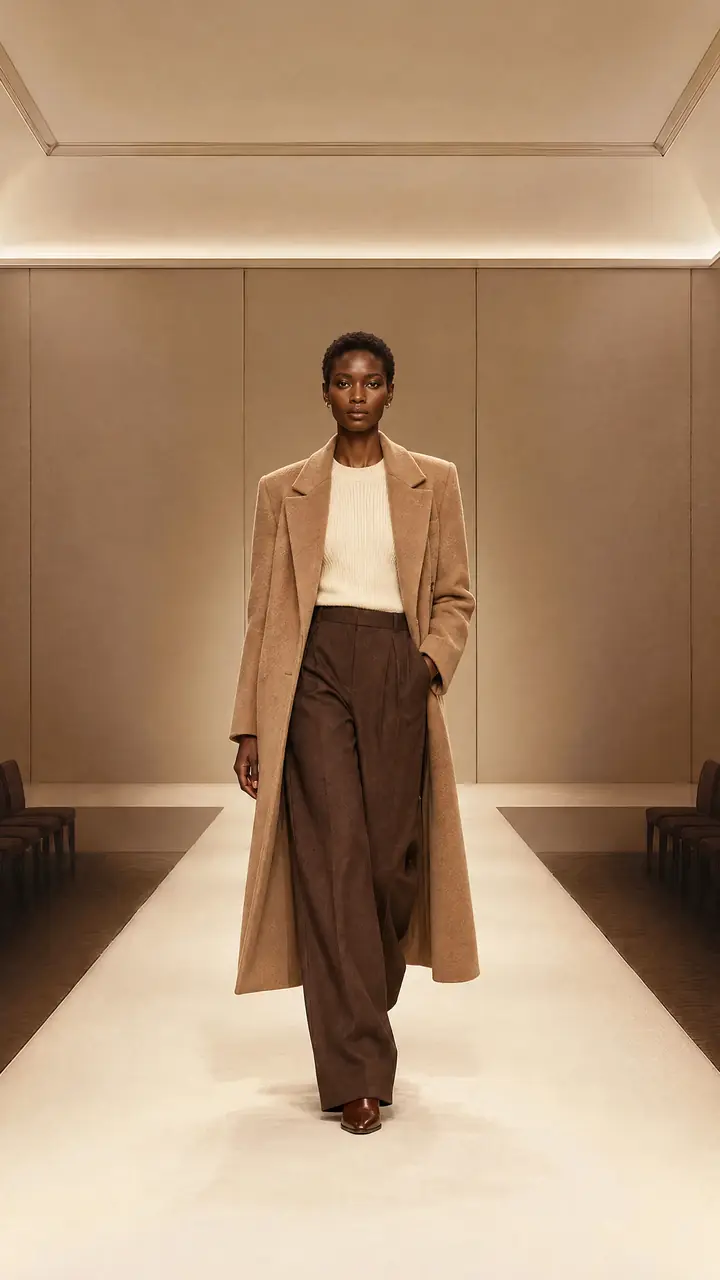
The AI runway on Udress is a stage where your look takes a walk. You give the app photos of yourself, and it makes a 10-second walk down a runway, which you can publish for everyone to watch and vote on. This guide explains how it works, what it costs, and what protects your photos.
What is the Udress Runway?
It is a tab in the app where walks play one after another on the same runway stage, with house music in the background. Each walk is a short video of someone's look, made with AI from their own photos. Watching is free and relaxed, a little like a fashion show that never ends, and you can move to the next walk whenever you like.
How do I make a walk?
You open the Runway maker and choose where the look comes from. It can come from photos of you, wearing the clothes you want to show, or from one photo. Before any walk is made, you see the look, so you can check that it is right. If it is not, you can make the look again before any walk is made. When you are happy, the app makes the walk: about ten seconds of you on the runway stage in that look. You then preview it and decide whether to publish it.
Which photos can I use?
Only photos of the account holder. The AI features on Udress are meant for you and your own look, so they are built around photos of you, not of someone else. Because the Runway is for ages 18 and up, you will be asked for your date of birth if the app does not have it. Good photos show your whole body in good light, with the clothes clearly visible. If a photo is not clear enough, the app tells you what to fix.
Does it cost anything?
Each walk uses paid credits. The price is shown before you start, so you know what you are spending, and the button tells you if you need more credits. If a walk fails to finish, you are refunded. Watching walks, voting on them and browsing the Runway tab do not cost anything.
How do voting and awards work?
People can vote for the walks they love. Votes count toward weekly and monthly awards, so a walk can be recognised for the week or the month, not only on the day it appears. Because awards depend on what people enjoy, they are about the look and the walk, not about who has the most followers. You can read how Udress thinks about this in a fashion social network that is not about follower counts.
Are my photos used to train AI?
No. Udress does not use your photos, videos or words to train AI models. The app also asks before it sends your photos to any AI feature, and you can change that choice later in My Account, under "How Udress uses AI". If you would like to see more of what AI does in the app, the guide to how AI helps you choose what to wear covers try-on and finding the pieces in a look.
Who sees my walk?
You decide when you publish. A walk is a post like any other, so you choose its audience: everyone, your followers, friends, My circle, chosen people or only you. You can also report any walk you find inappropriate, and block people who bother you. To see where the Runway sits among the other parts of the app, visit the Runway section of the home page.
What should I know before I try it?
Walks are made with AI, so details such as fabric folds or small accessories may not look exactly like the real garment. Think of a walk as a stylised preview of your look rather than a photograph. If a result looks wrong, you can report it from the walk using "Report this result", and the team will look at it.
All articles · More: How AI helps you choose what to wear · How to keep your photos private on a fashion app